

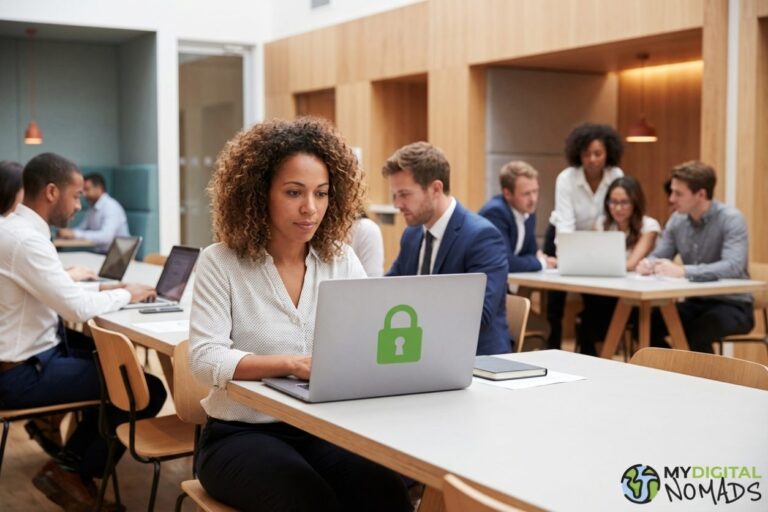
Remote work cybersecurity is one of those topics everyone nods along to and almost nobody actually does anything about.
I get it. You’re in a cafe in Barcelona, the WiFi is fast, you’ve got a deadline. The last thing you want to think about is whether someone at the next table can see your screen. But here’s the reality: if you handle client data, financial information, or anything remotely sensitive, your remote work cybersecurity is part of your professional responsibility. And most nomads are failing at it.
The 7 threats that actually matter
1. Public WiFi is an open book. Every co-working space, airport lounge, and cafe network is a potential interception point. When you connect to “CafeWiFi_Free” and start logging into your email, anyone on that same network with basic tools can see what you’re doing. This isn’t theoretical. It happens.
2. Weak passwords, everywhere. You’re using the same password for your email, your project management tool, and that random forum you signed up for in 2019. When that forum gets breached (check at HaveIBeenPwned), your work accounts go with it. A password manager costs less than your coffee habit.
3. No VPN. A VPN like NordVPN encrypts your internet traffic so that even on a compromised network, your data is scrambled. It costs around $4 a month. The number of remote workers who skip this is genuinely alarming. We covered the broader tech stack for remote work before, and a VPN should be the foundation.
4. Unlocked devices in public. You leave your laptop open to grab another coffee. That’s all it takes. Someone can install malware, copy files, or just read what’s on your screen in the 90 seconds you’re at the counter. Lock your screen. Every time.
5. Outdated software. Those “update later” notifications you’ve been dismissing for weeks? They’re usually security patches. Software vulnerabilities are how most breaches start. If your operating system, browser, or apps are out of date, you’re running with known holes in your defences.
6. Shared devices and accounts. Logging into your work email on a hostel computer. Leaving yourself signed into Slack on a friend’s laptop. Using shared Google accounts for team files without proper access controls. Each one is a risk that compounds over time.
7. No backup strategy. If your laptop gets stolen in Bogota tomorrow, what happens? If you don’t have cloud backups or an external drive, you might lose months of work. Theft, hardware failure, and accidental damage are all more likely when you’re moving between countries.
Remote work cybersecurity basics that take 30 minutes to set up
Here’s the minimum that every remote worker should have in place. None of this is complicated:
Use a password manager (Bitwarden is free, 1Password is worth the $3/month). Generate unique passwords for every account. Enable two-factor authentication on everything that offers it: email, banking, project tools, social media. Install a VPN and make it a habit to connect before you do anything else on a new network.
Strip metadata from files before you share them. Every document, image, and PDF you send contains hidden metadata: your name, location, device info, editing history. Tools like MetaCleaner let you clean file metadata online before sending anything to clients or uploading to shared drives. It takes seconds and removes information you probably didn’t know you were sharing.
Encrypt your hard drive. Both Windows and Mac have built-in encryption tools. It takes one settings change and means that even if your laptop is stolen, the data on it is useless without your login.
Set your devices to auto-lock after 60 seconds of inactivity. It feels annoying for about a week. Then it becomes invisible.
What this means for client work
If you’re managing client relationships as a freelancer or contractor, remote work cybersecurity is part of the trust equation. Clients increasingly ask about data handling practices before signing contracts. Some industries (healthcare, finance, legal) have compliance requirements that a cafe WiFi lifestyle might not satisfy without the right precautions.
We’ve heard from our team members at mydigitalnomads who’ve lost contracts because they couldn’t demonstrate basic security practices. That’s revenue lost because someone didn’t spend $4 a month on a VPN and 10 minutes setting up 2FA.
Start with one thing
If you read this and think “I should do all of that,” you probably won’t. So pick one. Get the VPN running. Or install the password manager. Do one thing today, another next week. Remote work cybersecurity doesn’t need to be perfect. It needs to be better than nothing.
If you’re building a lean remote setup, security tools should be on the short list of things that aren’t optional.
—